Multi-Phase Workflows
Potato supports multi-phase annotation workflows that guide annotators through a structured sequence of stages. This is useful for setting up consent forms, pre-screening questions, training/qualification, the main annotation task, and post-study surveys.
Phase System Overview
Potato's workflow consists of the following phases (in order):
| Phase | Purpose | Required |
|---|---|---|
consent |
Collect informed consent | Optional |
prestudy |
Pre-screening questions, demographics | Optional |
instructions |
Task instructions and guidelines | Optional |
training |
Qualification/training with feedback | Optional |
annotation |
Main annotation task | Required |
poststudy |
Post-study surveys, feedback | Optional |
Users automatically progress through enabled phases in this order.
Back Navigation
By default, the Back button is hidden when there is no previous page to navigate to. This means:
- On the very first page of the workflow (e.g., the consent page), the Back button is not shown.
- On the first annotation instance, the Back button is hidden unless phase back-navigation is enabled.
To allow users to navigate backward across phases (e.g., from the annotation phase back to the instructions phase), set:
allow_phase_back_navigation: true
When this is enabled, the Back button will appear on all pages, allowing users to return to previous phases. When disabled (the default), users can only navigate backward within the current phase — for example, moving between annotation instances or between pages within a multi-page instructions phase.
Configuration
Modern Phases Configuration (Recommended)
The recommended way to configure multi-phase workflows is using the phases section in your YAML config:
phases:
  order: [consent, prestudy, instructions, annotation, poststudy]

  consent:
    type: consent
    file: surveyflow/consent.json

  prestudy:
    type: prestudy
    file: surveyflow/prescreening.json

  instructions:
    type: instructions
    file: surveyflow/instructions.html

  poststudy:
    type: poststudy
    file: surveyflow/demographics.json
Phase Types
Each file-based phase has a type that tells Potato which stage of the
workflow it belongs to. Valid values are:
type |
Purpose |
|---|---|
consent |
Informed consent |
prestudy |
Pre-screening / demographics shown before annotation |
instructions |
Task instructions (supports .html or survey JSON) |
training |
Qualification/training with feedback |
annotation |
The main annotation task |
poststudy |
Post-study survey / feedback |
Always set type explicitly. As a convenience, if you omit type and the
phase's name is itself one of the values above (e.g. a phase literally named
consent), Potato infers the type from the name. Custom-named phases (e.g.
intro, feedback) must declare a type:
phases:
  order: [intro, consent, instructions, annotation, feedback]

  intro:
    type: prestudy          # custom name -> type is required
    file: surveyflow/intro.json

  consent:
    type: consent
    file: surveyflow/consent.json

  instructions:
    type: instructions
    file: surveyflow/instructions.json

  feedback:
    type: poststudy         # custom name -> type is required
    file: surveyflow/feedback.json
Note: the
annotationphase needs nofile— it uses the project's top-levelannotation_schemes.
Phase Data Files
Each phase references a data file containing the questions or content for that phase.
JSON Format for Survey Questions
[
  {
    "id": "consent_1",
    "text": "I certify that I am at least 18 years of age.",
    "schema": "radio",
    "choices": ["I agree", "I disagree"],
    "label_requirement": {"right_label": ["I agree"]}
  },
  {
    "id": "consent_2",
    "text": "I have read and understood the information above.",
    "schema": "radio",
    "choices": ["Yes", "No"],
    "label_requirement": {"right_label": ["Yes"]}
  }
]
Supported Schema Types
radio- Single choice from optionscheckbox/multiselect- Multiple selectionstext- Free text responsenumber- Numeric inputlikert- Likert scale ratingselect- Dropdown selection
Label Requirements
Control which answers are acceptable to proceed:
{
  "id": "age_check",
  "text": "Are you at least 18 years old?",
  "schema": "radio",
  "choices": ["Yes", "No"],
  "label_requirement": {
    "right_label": ["Yes"],
    "required": true
  }
}
right_label: List of acceptable answers (user must select one to proceed)required: Whether the question must be answered
Pre-Screening Questions
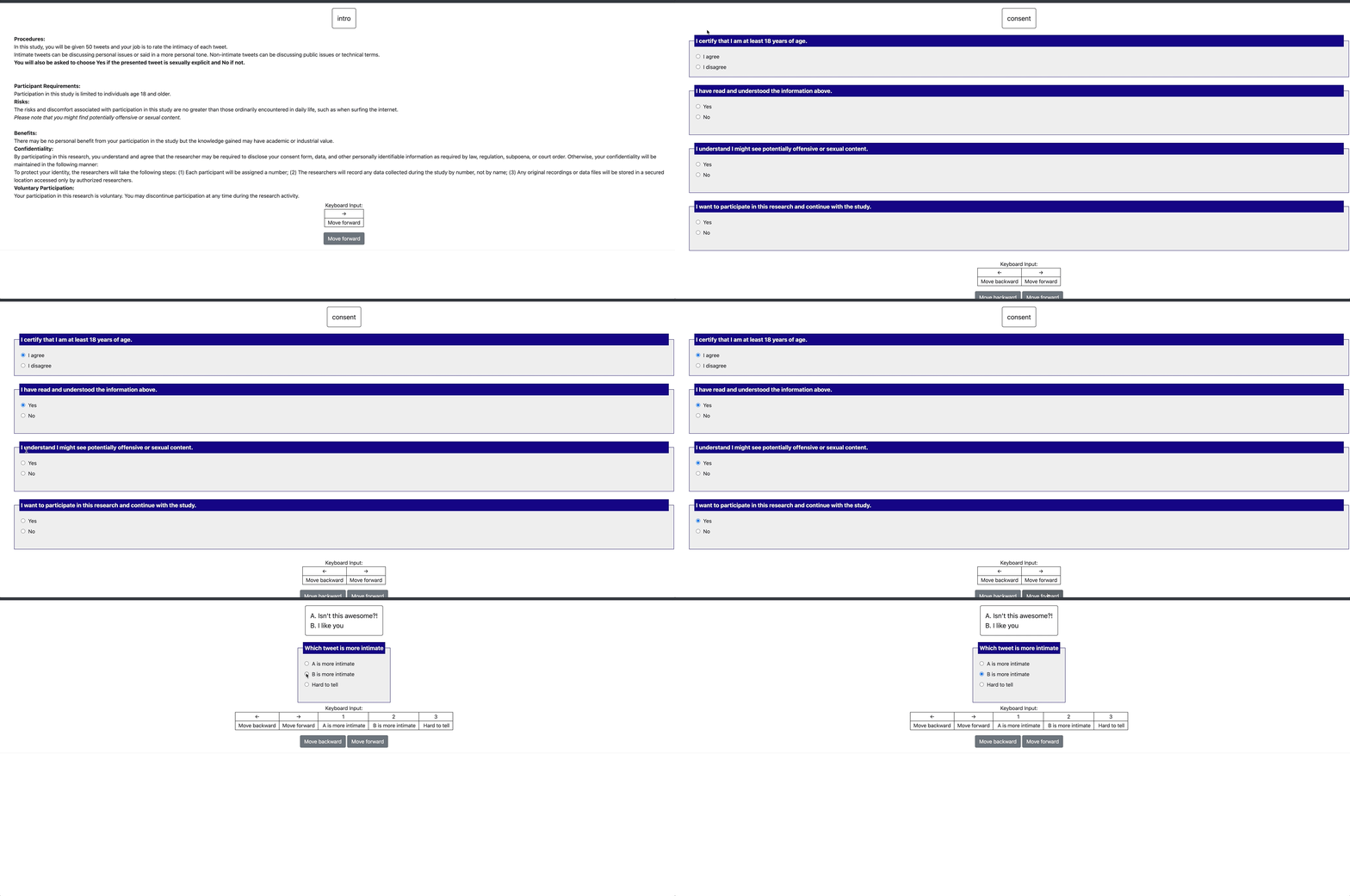
Pre-screening questions appear before the main annotation task. Use them to: - Verify eligibility (age, consent) - Collect demographic information - Assess prior knowledge
Example Prestudy Configuration
phases:
  order: [prestudy, annotation]
  prestudy:
    type: prestudy
    file: surveyflow/prescreening.json
prescreening.json:
[
  {
    "id": "1",
    "text": "What is your native language?",
    "schema": "select",
    "use_predefined_labels": "language",
    "label_requirement": {"required": true}
  },
  {
    "id": "2",
    "text": "How familiar are you with this topic?",
    "schema": "likert",
    "choices": ["Not at all", "Slightly", "Moderately", "Very", "Extremely"],
    "label_requirement": {"required": true}
  }
]
Post-Study Surveys
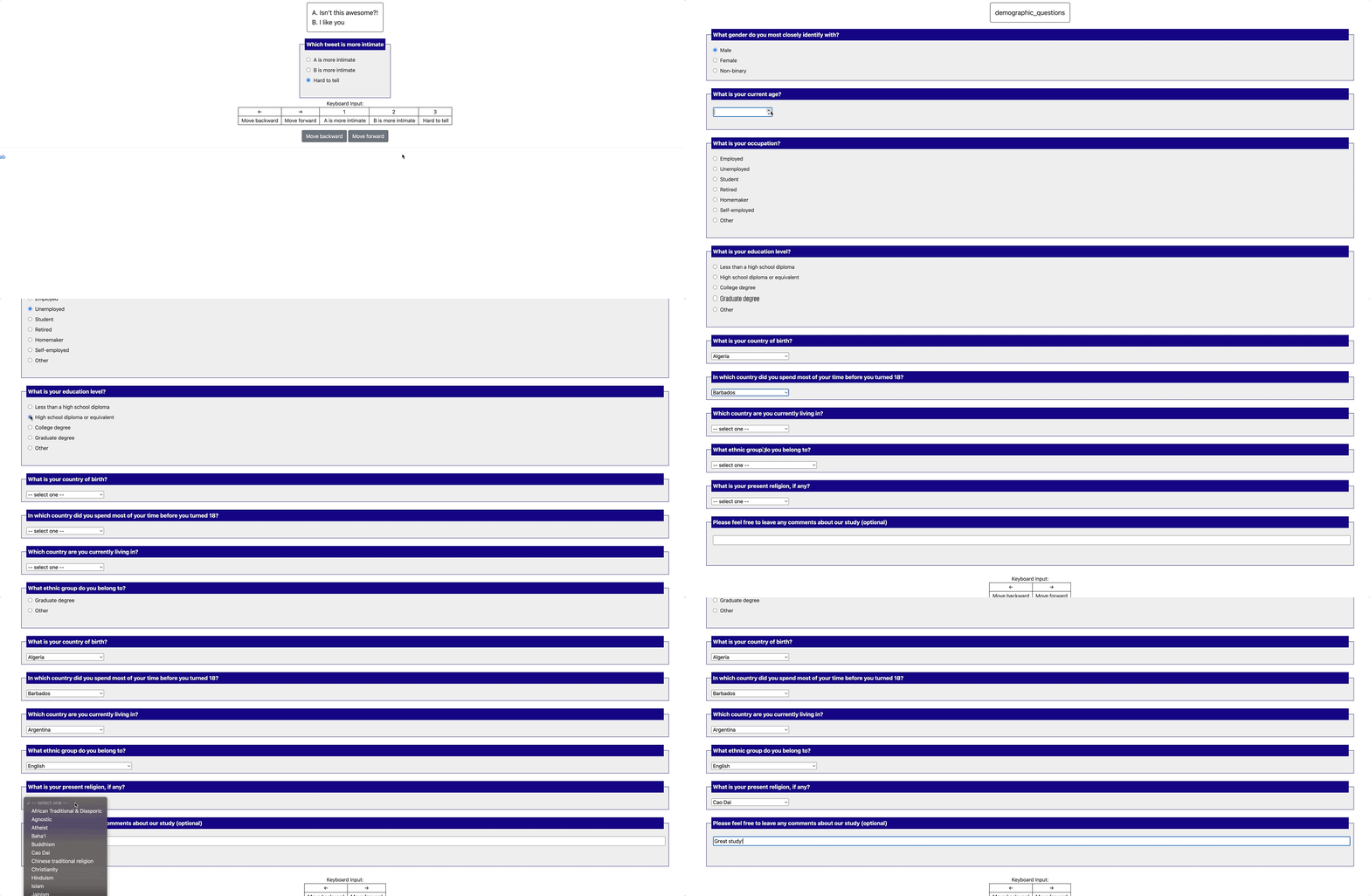
Post-study surveys appear after annotation is complete:
phases:
  order: [annotation, poststudy]
  poststudy:
    type: poststudy
    file: surveyflow/demographics.json
demographics.json:
[
  {
    "id": "gender",
    "text": "What gender do you most closely identify with?",
    "schema": "radio",
    "choices": ["Male", "Female", "Non-binary", "Prefer not to say"],
    "label_requirement": {"required": true}
  },
  {
    "id": "feedback",
    "text": "Please share any feedback about this study (optional)",
    "schema": "text"
  }
]
Built-in Question Templates
Potato provides predefined label sets for common survey questions:
Countries
{"schema": "select", "use_predefined_labels": "country"}
Languages
{"schema": "select", "use_predefined_labels": "language"}
Ethnicity
{"schema": "select", "use_predefined_labels": "ethnicity"}
Religion
{"schema": "select", "use_predefined_labels": "religion"}
Complete Example
Here's a complete multi-phase workflow configuration:
annotation_task_name: "Sentiment Annotation Study"

# Enable multi-phase workflow
phases:
  order: [consent, prestudy, instructions, training, annotation, poststudy]

  consent:
    type: consent
    file: phases/consent.json

  prestudy:
    type: prestudy
    file: phases/demographics.json

  instructions:
    type: instructions
    file: phases/instructions.html

  poststudy:
    type: poststudy
    file: phases/exit_survey.json

# Training phase configuration (optional)
training:
  enabled: true
  data_file: phases/training_questions.json
  passing_criteria:
    min_correct: 3
    max_attempts: 2

# Main annotation configuration
data_files:
  - data/instances.json

annotation_schemes:
  - name: sentiment
    annotation_type: radio
    labels: [Positive, Negative, Neutral]
    description: "Select the sentiment of this text"
Free Response Fields
Add optional text input to any question:
{
  "id": "gender",
  "text": "What is your gender?",
  "schema": "radio",
  "choices": ["Woman", "Man", "Non-binary", "Prefer not to disclose", "Prefer to self-describe"],
  "has_free_response": {"instruction": "Please specify:"},
  "label_requirement": {"required": true}
}
Page Headers
Customize the header text displayed on each survey page:
phases:
  prestudy:
    type: prestudy
    file: surveyflow/consent.json
    header: "Please answer all consent questions"
Legacy Surveyflow Configuration
Note: The configuration format below is deprecated but still supported for backward compatibility. New projects should use the
phasesconfiguration format shown above.
The legacy surveyflow configuration uses this format:
surveyflow:
  on: true
  order:
    - pre_annotation
    - post_annotation
  pre_annotation:
    - surveyflow/consent.jsonl
    - surveyflow/demographics.jsonl
  post_annotation:
    - surveyflow/exit_survey.jsonl
Migration Guide
To migrate from legacy surveyflow to the modern phases system:
| Legacy | Modern |
|---|---|
surveyflow.on: true |
Use phases section |
surveyflow.pre_annotation |
phases.prestudy or phases.consent |
surveyflow.post_annotation |
phases.poststudy |
surveyflow.testing |
training.data_file |
.jsonl files |
.json files (array format) |
Legacy surveyflow_html_layout
If you were using surveyflow_html_layout to customize survey page appearance:
# Legacy
surveyflow_html_layout: "templates/survey-layout.html"

# Modern equivalent - customize via UI configuration
ui_configuration:
  phase_layout: "templates/survey-layout.html"
Related Documentation
- Training Phase - Configure qualification training with feedback
- Category-Based Assignment - Assign tasks based on training performance
- Configuration - Full configuration reference